A little clarity.
When the earth moves.
Magnitude is an iPhone app for earthquakes. It relays warnings to places where iPhones get none, Colombia first, and shows what just happened from official catalogs. Free, with no ads and no account.
Two things, and nothing else
It warns you
Many Android phones warn their owners of an earthquake through Google's Android Earthquake Alerts System. iPhones in Colombia have no equivalent. You choose a place, your home for instance, and Magnitude relays to your iPhone the warnings observed near it. A warning can arrive seconds before the shaking, with it, or after it.
It tells you what just happened
A fast list and map of recent earthquakes near you and worldwide, from the Servicio Geológico Colombiano (SGC) and the U.S. Geological Survey (USGS). If you want, it notifies you when a catalog reports an earthquake above a magnitude you choose.
How a warning reaches you
- 1Google detects an earthquake and alerts Android phones in the area.
- 2A volunteer's Android phone running our Magnitude Proxy app captures that alert the moment it appears and sends it to our server, with the phone's approximate location.
- 3Our server sends it through Apple's push service to every iPhone whose chosen place is near enough to that phone.
Every step depends on phones, networks and services that can be slow or fail, and on a volunteer phone being near your place when the alert comes. That is why Magnitude calls itself a supplement to official warnings, never a warning system. Every warning it shows says how far from your place it was observed and how old it is.
How it works, in detail: Google's alert levels, what Magnitude sends for each, what can wake you, and how we test it.
Have an Android phone? Help warn your community.
When an earthquake starts, Google warns Android phones nearby. Your neighbours and family with iPhones get nothing. With Magnitude Proxy running quietly on your phone, they get that warning too, and a few seconds can be enough to get under a table or pull a child close.
Your Android phone
Shaking expected
Magnitude Proxy passes it on
Magnitude Proxy passes it on
iPhones around you
On 3 November 2026, one volunteer phone warned 21 iPhones of an M5.6 earthquake. Read the story.
- You won't feel it
- No screens, no sounds, almost no battery. Set it up once and forget it.
- It reaches people who would get nothing
- Your neighbours, your family, the people in your building: one phone can relay a warning across a whole area.
- A few minutes to join
- Install it, turn on three switches, done. Your own alerts don't change.
Invitation only for now: we are bringing volunteers in a few at a time.
What you will see
- Act now
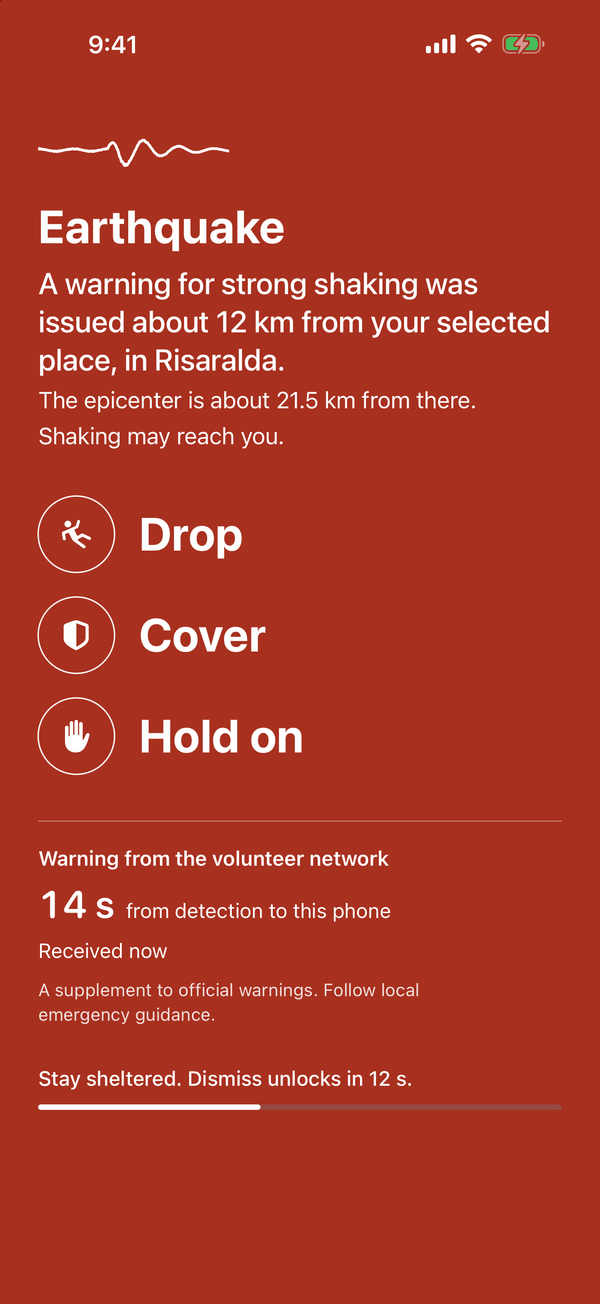
- A warning for strong shaking was issued near your place. A full red screen with three instructions: drop, cover, hold on. If you allow Critical Alerts, it can sound through silent mode and Focus.
- Get ready
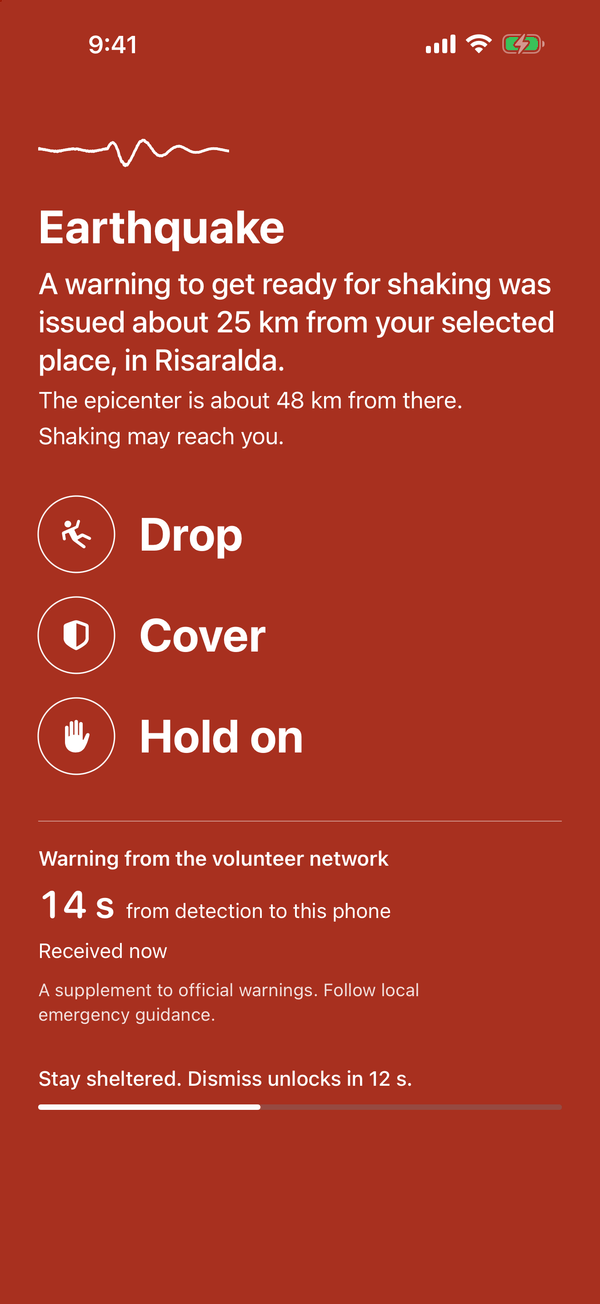
- A warning to get ready for shaking was issued near your place: Google's middle level, the one that sounds an alarm on Android phones. The same red screen as Act now. If you allow Critical Alerts, it sounds through silent mode and Focus by default.
- Heads up
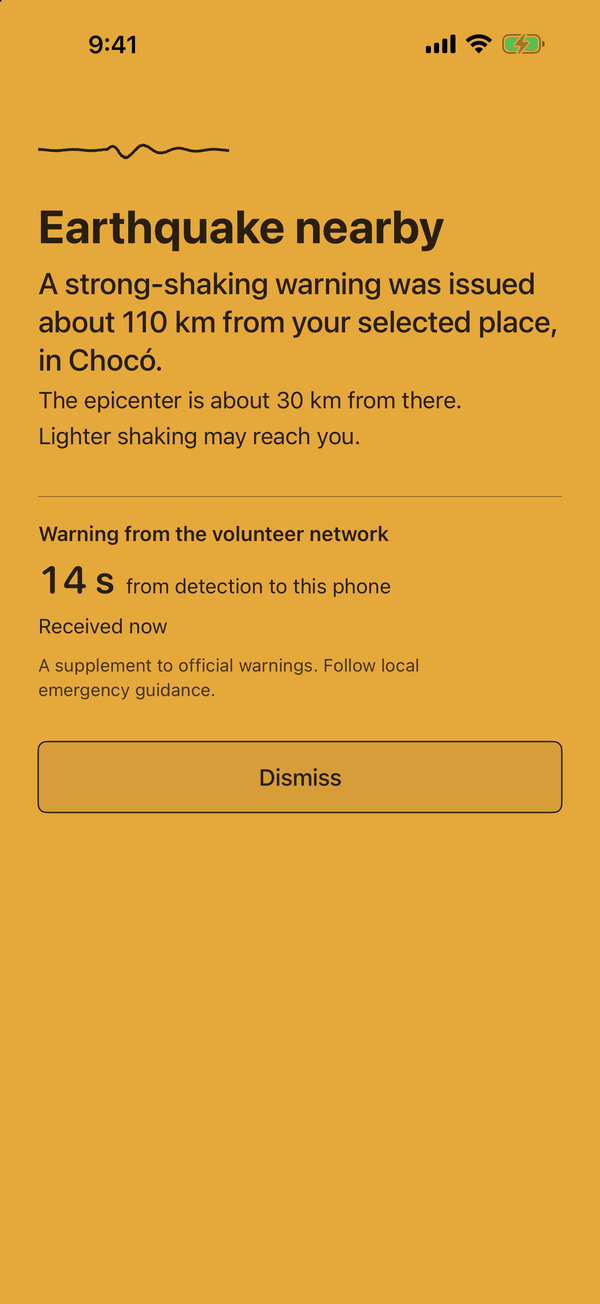
- A warning was issued some distance from your place, and lighter shaking may reach you. An amber screen you can dismiss at once.
- Earthquake notification
- An ordinary notification after SGC or USGS publishes an earthquake, usually minutes after it happened. Off until you turn it on. It is not an early warning.
What it leaves out
No ads. No accounts. No tracking. No third-party code: the app is built only with Apple's own frameworks, so nothing inside it reports to an advertiser or an analytics company.
To send you a warning, our server keeps an anonymous push token and the place you chose, rounded to about a kilometre. It never learns your name or your email, and it does not follow you. Read the privacy policy.
Availability
- Status
- On the App Store
- Device
- iPhone with iOS 17 or later
- Languages
- English and Spanish
- Warnings
- Colombia, around a place you choose
- Earthquake notifications
- Worldwide, or within 10 to 2,000 km of a place you choose
- Price
- Free. No ads, no purchases.
Questions, or a problem with the app? Go to support.